
✅ Open — on the test network
Documents that prove themselves.
Seal a document so it opens only when something happens. Send an invoice the chain checks without reading the amounts. Pick audit samples nobody can rig. Three tools, already working in the AB2BC wallet — here is how to use each one.
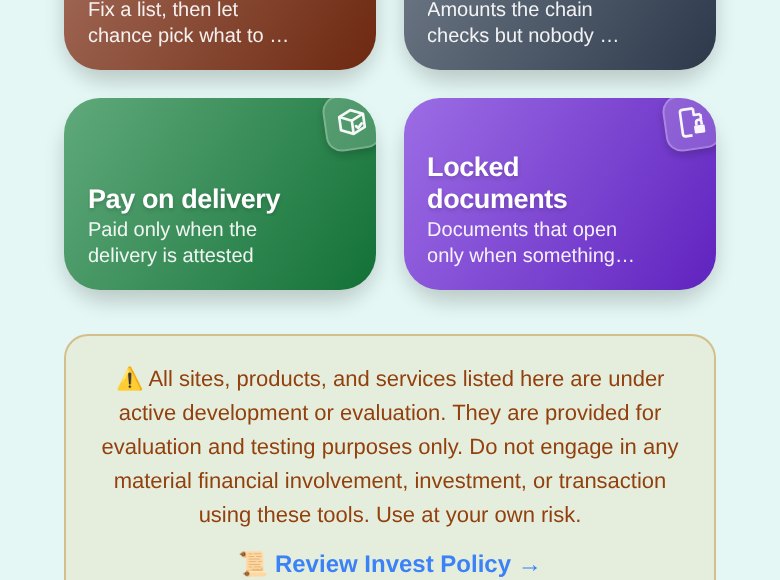
Three tools, already in your wallet
Each one keeps its proof on chain, so the other side can check it for themselves.
🔐
Locked documents
A note or file that opens only when an event is recorded, after a waiting period nobody vetoes, or while you consent.
🧾
Confidential invoice
The chain checks every line is a valid amount and that they add up — without anyone reading them. The buyer acknowledges on chain.
🎲
Audit sample
Fix a list first; the chain picks what to check only once the list can no longer change. Anyone can verify the draw.
Step 0
Find the tools
The document tools live in the Ace wallet, in a browser.
- Open the wallet at ace.ab2bc.com and sign in (or create a wallet — it takes a minute).
- Tap Portals in the bottom bar, then the 🏛️ Portals tab.
- Scroll down and open 💼 For businesses. You will see Audit sample, Confidential invoice, Pay on delivery and Locked documents.
Use the web wallet: sealing files and making invoice proofs happen on your own device, in the browser. The tools run on the AB2BC test network today.
How-to 1
Seal a document that opens only when it should
Pick when it opens, name who may read it, add the document — the chain enforces the rest.
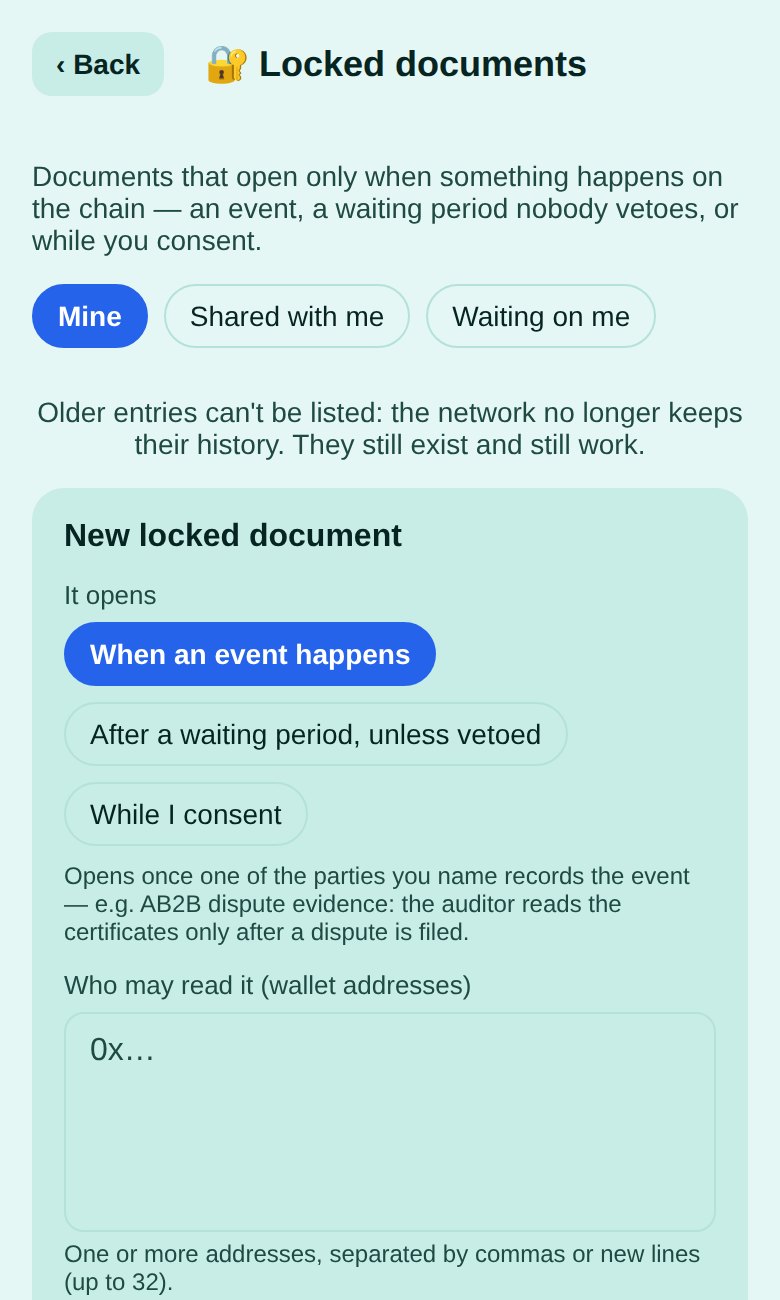
- Open Locked documents and tap + New locked document.
- Under It opens, choose one:
- When an event happens — opens once one of the parties you name records the event (e.g. dispute evidence an auditor may read only after a dispute is filed).
- After a waiting period, unless vetoed — someone you name starts the clock; it opens when the period ends unless the veto holder objects in time (e.g. papers for heirs; your veto is your proof of life).
- While I consent — open only until your consent ends or you revoke it (e.g. medical records for your physician).
- Under Who may read it, paste the readers’ wallet addresses — one or more, up to 32.
- Fill in who may record the event, start the waiting period or veto — or how long your consent lasts.
- Add the Document: a text note, a file (up to 512 KB), or Add later. Give it a title — readers see the title before it opens.
- Tap Create and seal. The note or file is encrypted on your device before it leaves.
- Readers find it under Shared with me; anyone who must act sees it under Waiting on me. Until it opens, the wallet says why it is still closed — e.g. the event has not been recorded yet.
How-to 2
Send a confidential invoice
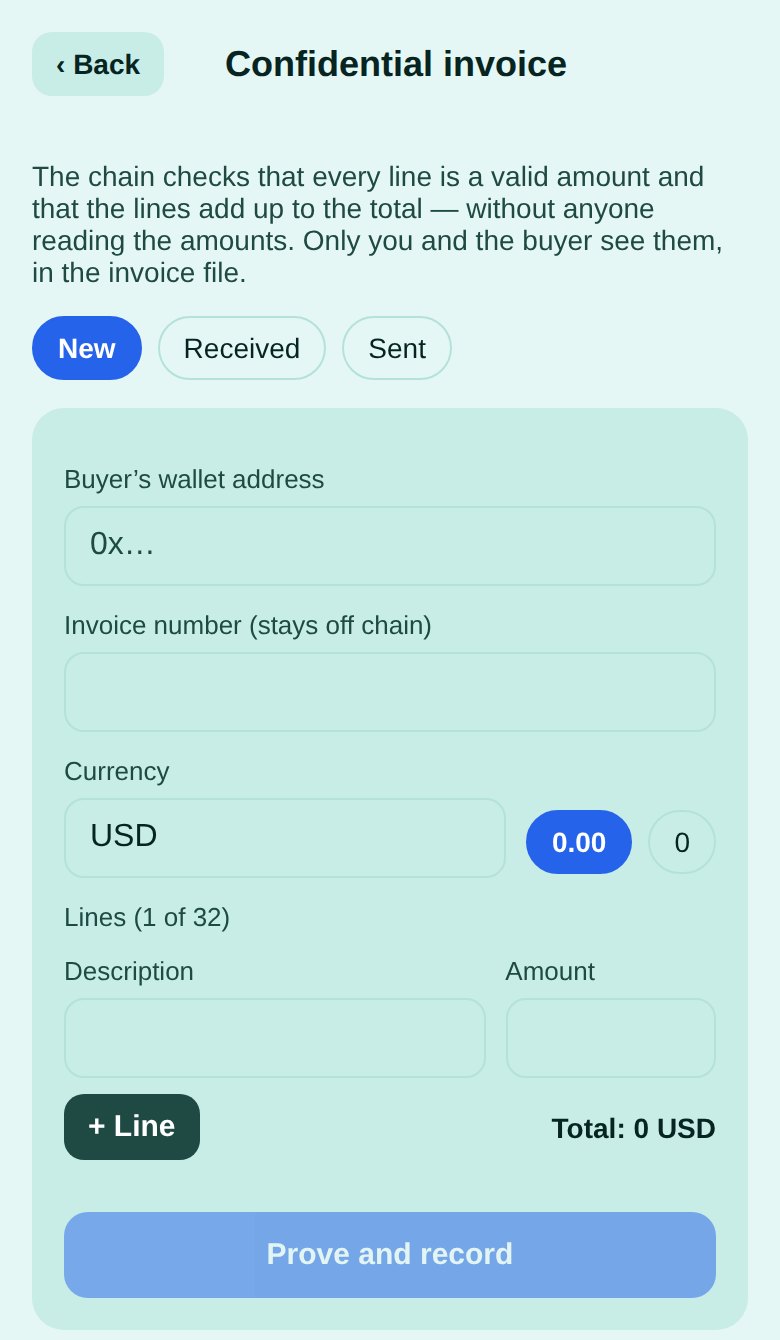
The chain checks that every line is a valid amount and that the lines add up to the total — without anyone reading the amounts. Only you and the buyer see them.
- Open Confidential invoice, tab New.
- Enter the buyer’s wallet address and your invoice number (it stays off chain).
- Add the lines — a description and an amount each, up to 32 — and check the total.
- Tap Prove and record. The proof is made on your device, then recorded on chain.
- Send it: Send securely in the app seals the invoice for the buyer and gives you a short secure code to send them privately. (Or share the invoice file itself — privately; it holds the amounts.)
- The buyer opens Received → Open invoice file, pastes the code, and taps Check against the chain: every line is matched against the record.
- The buyer taps Acknowledge. That is recorded on chain, and you see it under Sent.
How-to 3
Run an audit sample nobody can rig
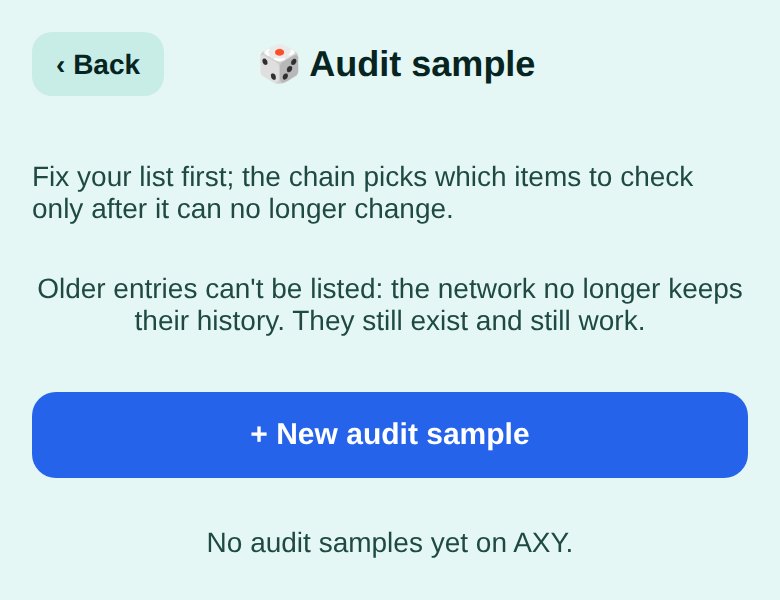
Choosing what to check after seeing the list invites cherry-picking. Here the list is fixed first, and the chain draws later.
- Open Audit sample and tap + New audit sample.
- Paste the items, one per line (invoices, pallets, shifts — anything), choose how many to check and when the draw opens (10 minutes to 7 days).
- Tap Fix the list. Only the list’s fingerprint goes on chain — the items stay with you.
- When the time comes, tap Draw now. The chain picks the positions to check.
- Share the list with the reviewer: Check list confirms it matches the fingerprint, and Show the items lists exactly which ones were picked.
Honest limits
- Test network. These tools run on the AB2BC test network today — use them to try things out, not for documents you cannot afford to lose.
- Who holds the keys. Each document is encrypted on your device. Today one AB2BC key server keeps the document key and releases it only when the on-chain rule says the document is open. Splitting each key across several independent servers (any few of them together, none alone) is built and will be switched on as independent servers join.
- Use the web wallet to seal files and make invoice proofs; text notes work everywhere.
- Older entries may not be listed after the network trims its history — they still exist and still work.
- A locked document or acknowledgement is a record, not legal advice, notarisation or a substitute for a contract lawyer.
Questions
Can anyone read the amounts on chain?
No. The chain stores commitments and a proof that they are valid and add up; the amounts are only in the invoice file you and the buyer hold.
What does the reader need?
An AB2BC wallet. You add their wallet address; they sign in with it to open.
Does it cost anything?
Each step is a small on-chain transaction paid from your wallet’s network balance (test tokens on the test network).
More AB2BC categories: Restaurants · Services · AI · Healthcare · Pharmacy
Good to know. AB2BC runs on test networks today, so payments and rewards are for trying things out. Rewards are not investments, not income and not refunds; their value can go down as well as up. Not offered in mainland China. AB2BC · CITC Join · Contact