
✅ Tools open — service directory coming
Publish your prices. Get paid when the job is done.
Put your service price list in the wallet with AI, take payment that releases only when the work is confirmed, and settle refunds with store credit. Here is how, step by step.
Step 0
Find the tools
Everything below runs in the Ace wallet, in a browser.
- Open the wallet at ace.ab2bc.com and sign in (or create a wallet — it takes a minute).
- Tap Portals in the bottom bar, then the 🏛️ Portals tab. Tools for businesses are in the 💼 For businesses group further down.
What works today
- AI price-list builder
- Pay on delivery (paid only when the work is attested)
- Store credit for partial refunds
- Payments in USDC from the wallet
Coming: a public directory of member services and booking.
How-to 1
Publish a service price list
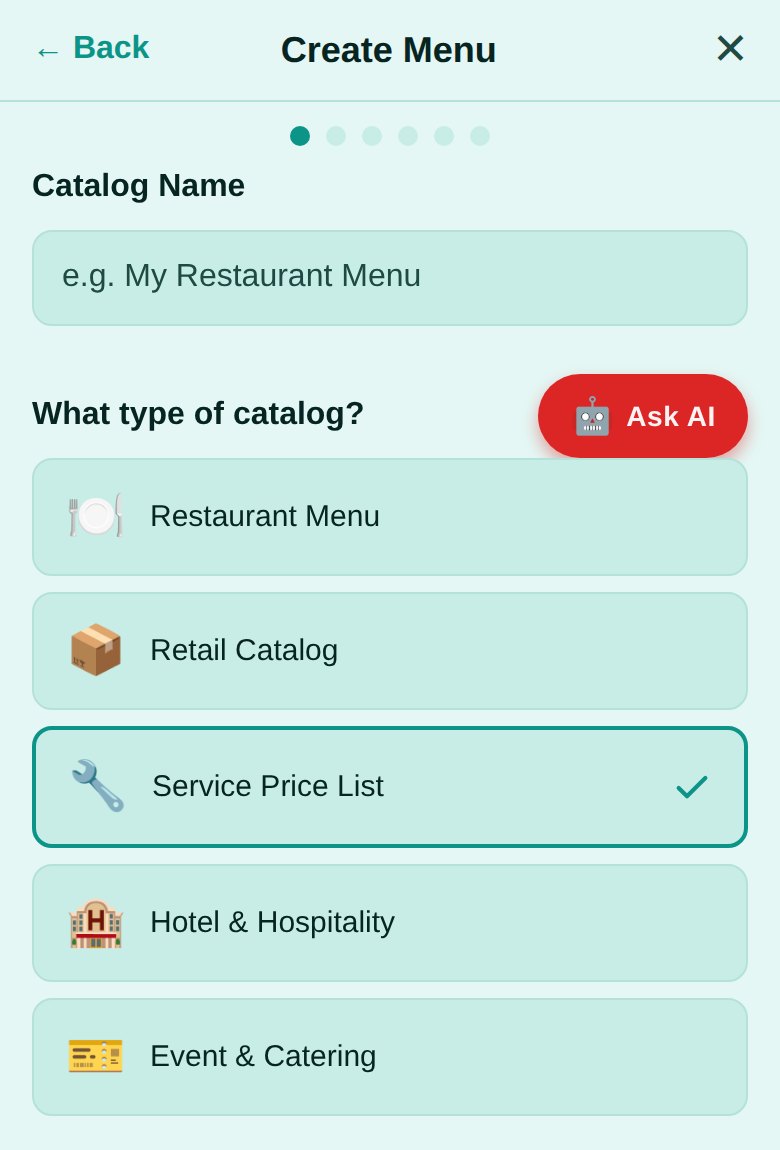
Photograph your price board or brochure; the AI turns it into a price list your customers can browse.
- Open AI Category Builder and name your price list.
- Choose Service Price List and tap Continue.
- Add photos of your current prices and tap Process with AI.
- Check every service and price in the review step, then Publish.
How-to 2
Get paid when the job is done
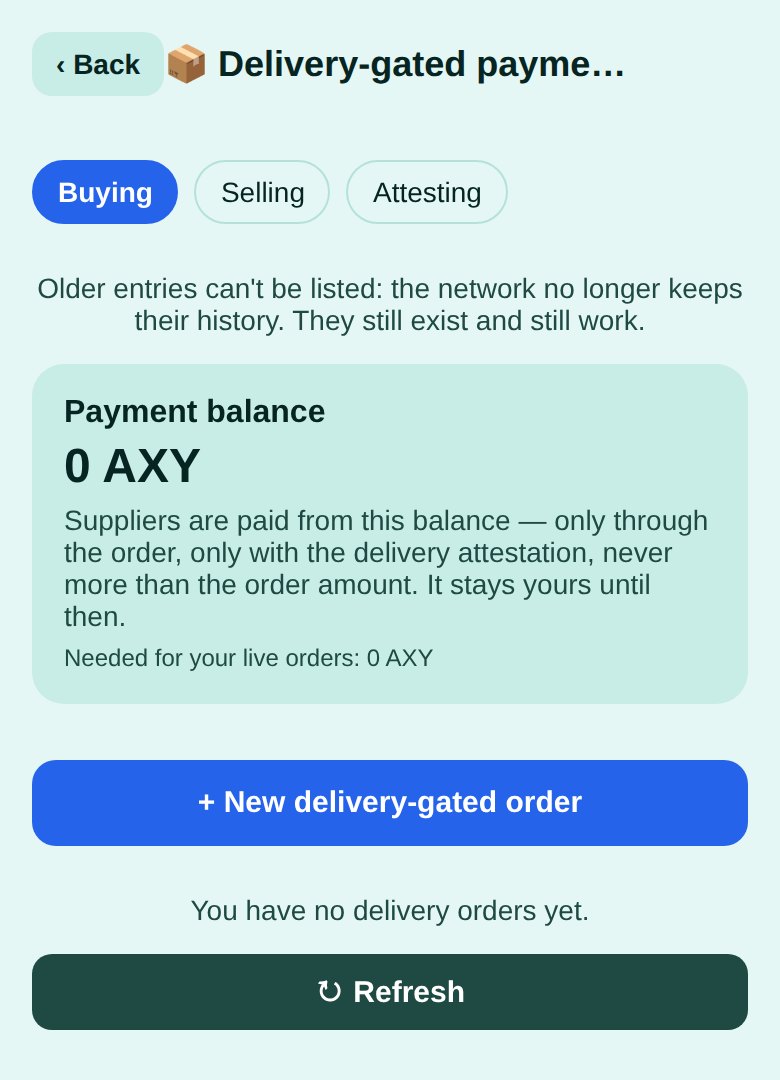
Pay on delivery: the customer’s payment stays in their own balance and goes to you only when the people they named confirm the work. Nothing is held in escrow.
- The customer opens Pay on delivery → Buying → + New delivery-gated order, enters your wallet address and the amount, and lists the attestors — for example their own phone.
- You see it under Selling and tap Accept order.
- When the job is done, each attestor taps Sign attestation under Attesting and shares the signature.
- You add the signatures and are paid from the customer’s balance — never more than the order amount.
How-to 3
Refund with store credit
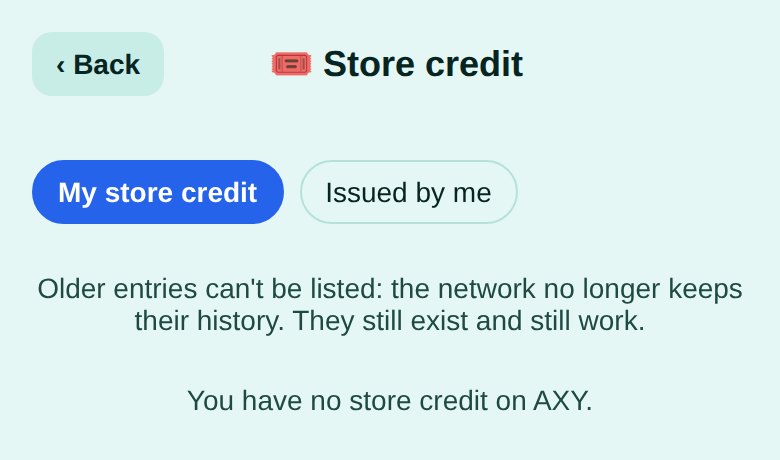
For a partial refund or a re-do, give credit the customer can spend only with you.
- Open Store credit → Issued by me → Issue store credit.
- Enter the customer’s wallet address, the amount and how long it is valid. You fund it now.
- Choose what happens at expiry: what is left goes back to the customer as money, or back to you — only where the law allows it.
- The customer spends it in parts under My store credit → Pay merchant; it can never be passed on.
Honest limits
- Test network. AB2BC runs on test networks today: use it to try things out. Payments and rewards are not real money yet.
- Pay on delivery needs the attestors’ signatures: agree with your customer who confirms the work.
- Rewards follow the CITC programme rules. They are not investments, not income and not refunds; their value can go down as well as up.
Offer a service?
Publish your prices today; join CITC when you want to be listed and your customers rewarded.
New guide: Get paid when the job is done: pay on delivery for local services
More AB2BC categories: Restaurants · Documents · AI · Healthcare · Pharmacy
Good to know. AB2BC runs on test networks today, so payments and rewards are for trying things out. Rewards are not investments, not income and not refunds; their value can go down as well as up. Not offered in mainland China. AB2BC · CITC Join · Contact